
Why I Tried to PWA My Flutter App
I tried turning my mostly web-based Flutter app into a PWA to avoid App Store friction, then ran into the practical limits around iOS installation, Firebase web setup, monetization, and browser-like UX.
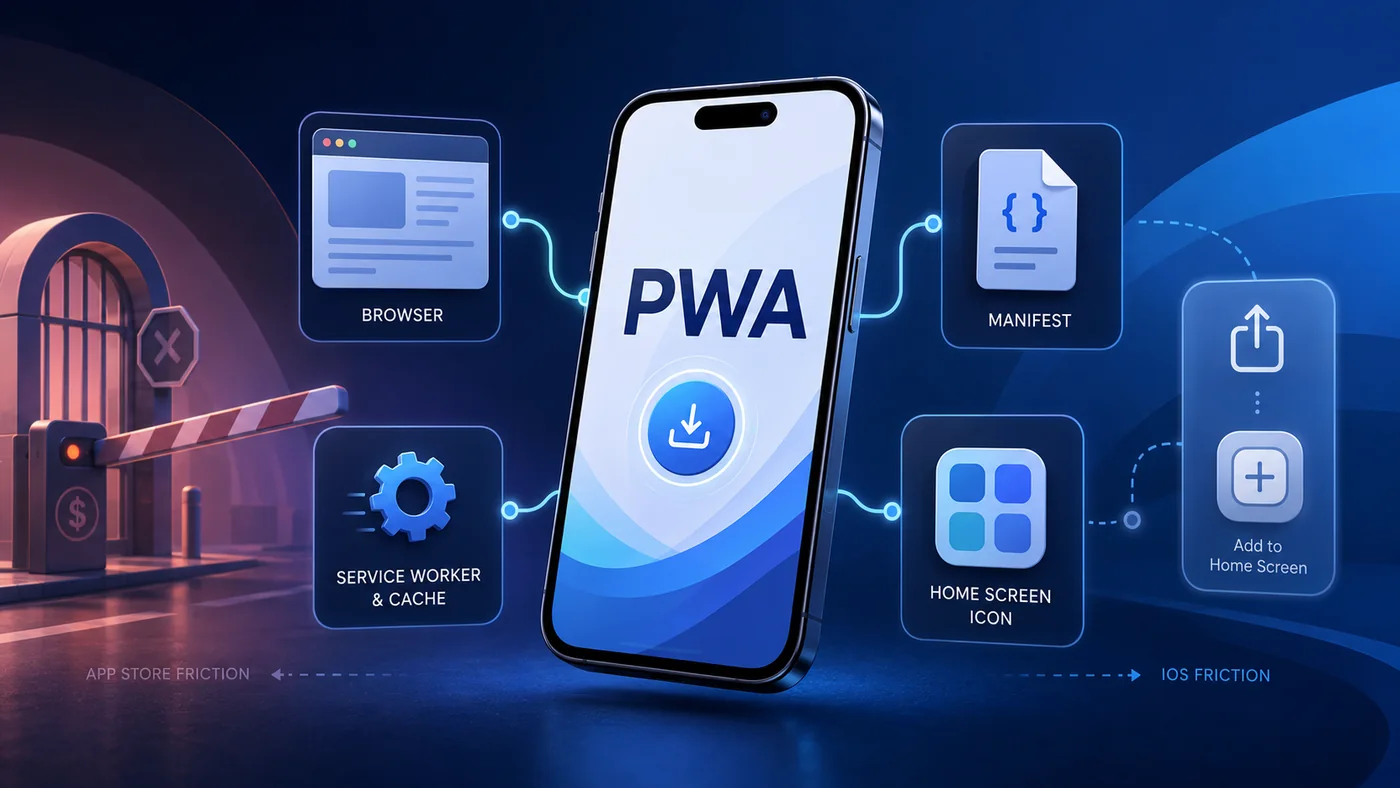
Why I Tried to PWA My Flutter App
A straightforward answer is that I wanted to avoid Apple App Store fees for my basic, mostly web-based app, already available in the Google Play Store. My app started mostly as a hobby project and I don't really make any meaningful amount of money from it, so paying the $99/year Apple Developer Program fee is just not worth it for me. That's why I started exploring alternatives, and PWA was one of the most promising ones.
The Ultimate Universal App Dream of Developers
PWA stands for Progressive Web App, and it is a type of web application that is designed to work like a native app. It is built using web technologies like HTML, CSS, and JavaScript, and it can be installed on supported devices across Android, Windows, Linux, macOS, and iOS. At least, that's what the end user's experience is supposed to be like. We'll discuss the "supposed to be" part later.
Plus points of PWAs that I found really appealing for a solo indie developer like me:
- Lower development cost - Flutter apps without platform-specific APIs can usually be built for the web and prepared as PWAs without starting from zero.
- Easier and faster updates - updating the app can be as simple as pushing a new build to a hosting provider, and users get the latest version after a refresh or app update cycle, depending on caching.
- No app-store package install - technically, users still have to tap an install button or use "Add to Home Screen" to install the PWA, but they don't have to go through the full app store download flow.
- Lower storage footprint - PWAs can still cache assets and app data, but they usually avoid the big native app package feeling unless you aggressively cache offline data.
- Better reachability - PWAs are more discoverable than native apps, as they can be found in search engines and shared easily through links.
- No app store approval process - browser-distributed PWAs don't need to go through any app store approval process like native apps.
Why did it make sense for my use case?
Since my app is based on Flutter and doesn't rely much on platform-specific APIs, I could build a web version of it using the simple flutter build web command. Modern smartphones are already quite optimized for web apps, and with the help of a PWA, I could provide a near-native experience to my users.
How I prepared my PWA build from my Flutter app
It was surprisingly straightforward. I changed the web/manifest.json file and added the properties as per the PWA specification. This file specifies how the app should appear and behave when installed on a device. You can read more about it in the MDN web app manifest docs. Here is what I added:
{
  "name": "alt games portal",
  "short_name": "alt games",
  "start_url": ".",
  "display": "standalone",
  "background_color": "#000000",
  "theme_color": "#000000",
  "description": "alt games portal",
  "orientation": "portrait-primary",
  "prefer_related_applications": false,
  "icons": [
    {
      "src": "icons/Icon-192.png",
      "sizes": "192x192",
      "type": "image/png"
    },
    {
      "src": "icons/Icon-512.png",
      "sizes": "512x512",
      "type": "image/png"
    },
    {
      "src": "icons/Icon-maskable-192.png",
      "sizes": "192x192",
      "type": "image/png",
      "purpose": "maskable"
    },
    {
      "src": "icons/Icon-maskable-512.png",
      "sizes": "512x512",
      "type": "image/png",
      "purpose": "maskable"
    }
  ]
}
Don't mind the icon names as I had them auto-generated using an AI tool and was too lazy to rename them atm.
Then I ran the web build:
flutter build webThis produced an output in the build/web folder, which was nothing but a web app that can be hosted on any web app hosting provider like Firebase, Netlify, Vercel, Cloudflare Pages, etc. Since I already use Firebase, I decided to host my PWA on Firebase Hosting.
If you don't have a Firebase project set up, you can create one using the Firebase CLI:
firebase login
firebase init hosting

# This will deploy the PWA to Firebase Hosting
firebase deploy --only hosting
PWA on iPhone journey
With much excitement to finally be able to test my app on iPhone, the first app launch was just an unresponsive white screen. I tested the web app on my development machine using the flutter run -d chrome command and saw some errors related to Firebase Auth. I quickly realized that since PWAs are basically web apps, I needed to configure Firebase for web as well. I followed the Firebase setup flow for Flutter to add Web as a supported platform, and it worked! The PWA was now working "as expected" on my iPhone as a PWA.
It's also worth noting that iOS makes it intentionally difficult to add PWAs to the home screen. You can't just trigger the same install prompt flow that you can on Android or in many desktop browsers. You have to go through the share sheet and then click the "Add to Home Screen" button. For a tech person, it might be easy, but for a non-tech person it's a real hassle. A practical way to make it easier for users is to add a banner with a really good visual guide to show them how to add the app to their home screen.
Besides installation, there are other restrictions and rough edges as well in iOS:
- Orientation - browser support for orientation locking is still inconsistent. Android/Chrome can handle it in more cases, but on iOS it was not reliable enough for my app because my app has features that need to switch between portrait and landscape mode a lot of times.
- Push notifications - this has improved since iOS and iPadOS 16.4 because Home Screen web apps can support Web Push now. But it still requires the app to be added to the home screen, requires user permission after a user action, and needs the right web push implementation. For my simple PWA experiment, it was still not the same plug-and-play path as native push.
- Background sync - I still wouldn't depend on background sync across browsers, especially on iOS. This means that if the user closes the app, I can't assume it will keep syncing data in the background like a native app.
- State loss when minimized - in my testing, the PWA state was sometimes lost when the app was minimized. This means that if the user switches to another app and then comes back to the PWA, they might lose their progress.
- Rendering and animation differences - transitions and animations that I had used were either broken or didn't work at all in iOS. For example, the hero animations looked so weird.
Monetizing the PWA
Monetization is another aspect where PWAs fall short compared to native apps. While there are ways to monetize PWAs, they are not as straightforward as native apps. The ad SDKs are not as mature as native SDKs, and there are also restrictions on where you can place ads in a PWA. For example, AdMob is built around mobile app SDKs for Android, iOS, Unity, C++, and Flutter app targets, not web PWAs. Google AdSense can work on websites, but it has policies and placement rules that you have to follow. Since my PWA relies on heavily dynamic tools, AdSense crawlers might see too little crawlable content, so we have to be extra careful about it.
Between a native app and a website... The PWA experience
The PWA experience on Android felt much better, but it still wasn't like a native app. It felt like a web app that was running in a browser. The biggest issue was that it didn't feel snappy enough. There were rendering glitches, delays while transitioning between screens, and it just didn't feel as smooth as a native app. Maybe I could have optimized it by tweaking things, but it was not worth it for me for my project. The only upside that I could see was being able to reach iOS users without the Apple App Store hassle. Although as I mentioned earlier, there are some restrictions in iOS that make it not so appealing either.
Conclusion
Although I didn't embrace PWA this time for my project, I think it's a great technology for some use cases. If you are building a simple app that doesn't rely much on platform-specific APIs and you want to reach a wide audience including iOS users without the Apple App Store hassle, then PWA could be a great choice for you. It's also a great way to test your app idea with a wider audience without the hassle of app store approvals. The only catch is that you will have to be extra careful about the design and development to ensure that the user experience is not compromised.
I hope PWAs get better with time and we can see more support for them in the future. I love the promise of PWAs, but I am not sure if they are ready for prime time yet. It sure has a lot of potential if the big players take it more seriously.
👏Enjoyed this article?
Drop some claps if you found this article helpful.
From the archive
More writings

Jun 2, 20264 min read
I Made an App That Lets You Build Any Game in Minutes Using AI on Your Phone!
Sep 3, 20267 min read
The Native Renaissance: Why AI Agents Might End the Cross-Platform Compromise
Aug 31, 20267 min read